Payroll & attendance for Philippine small businesses
Less manual encoding. Easier payroll preparation.
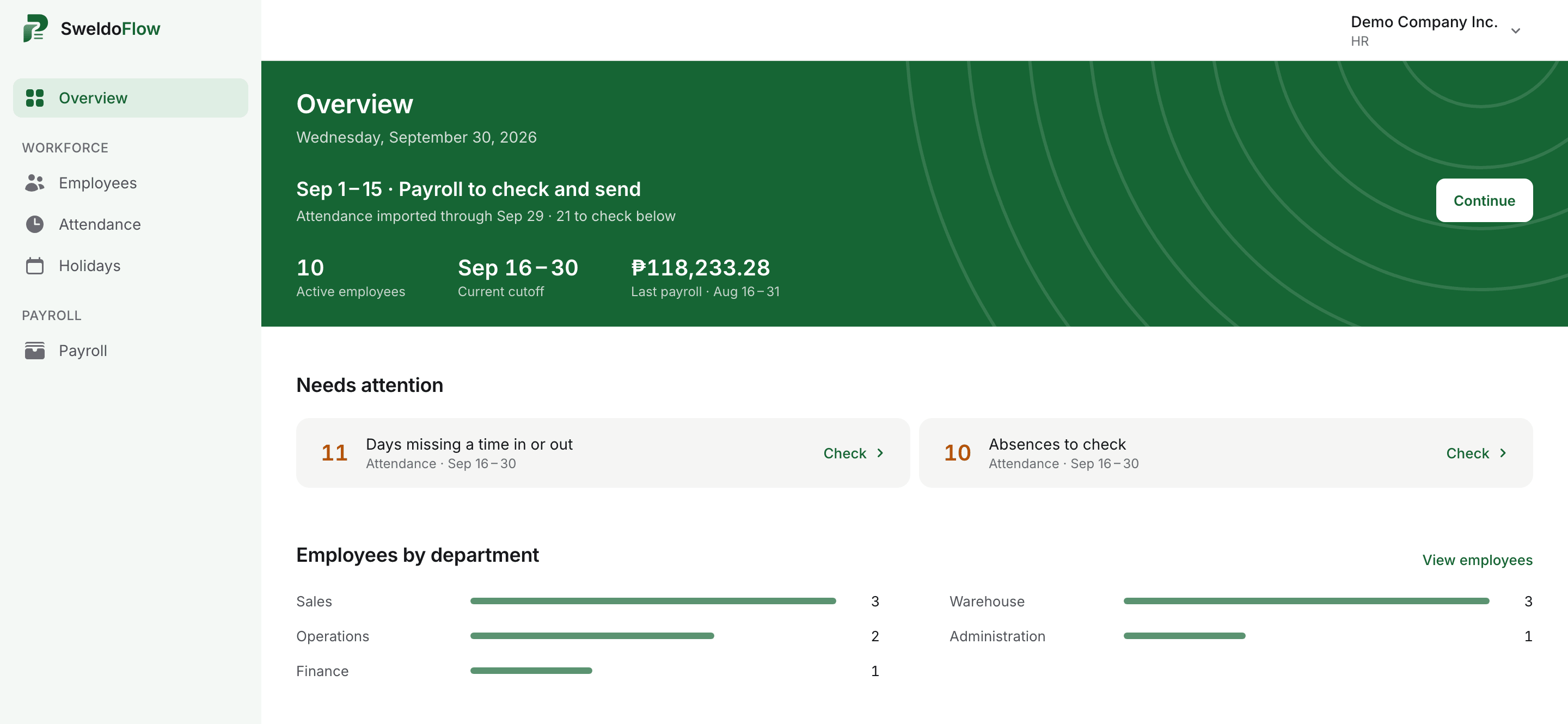
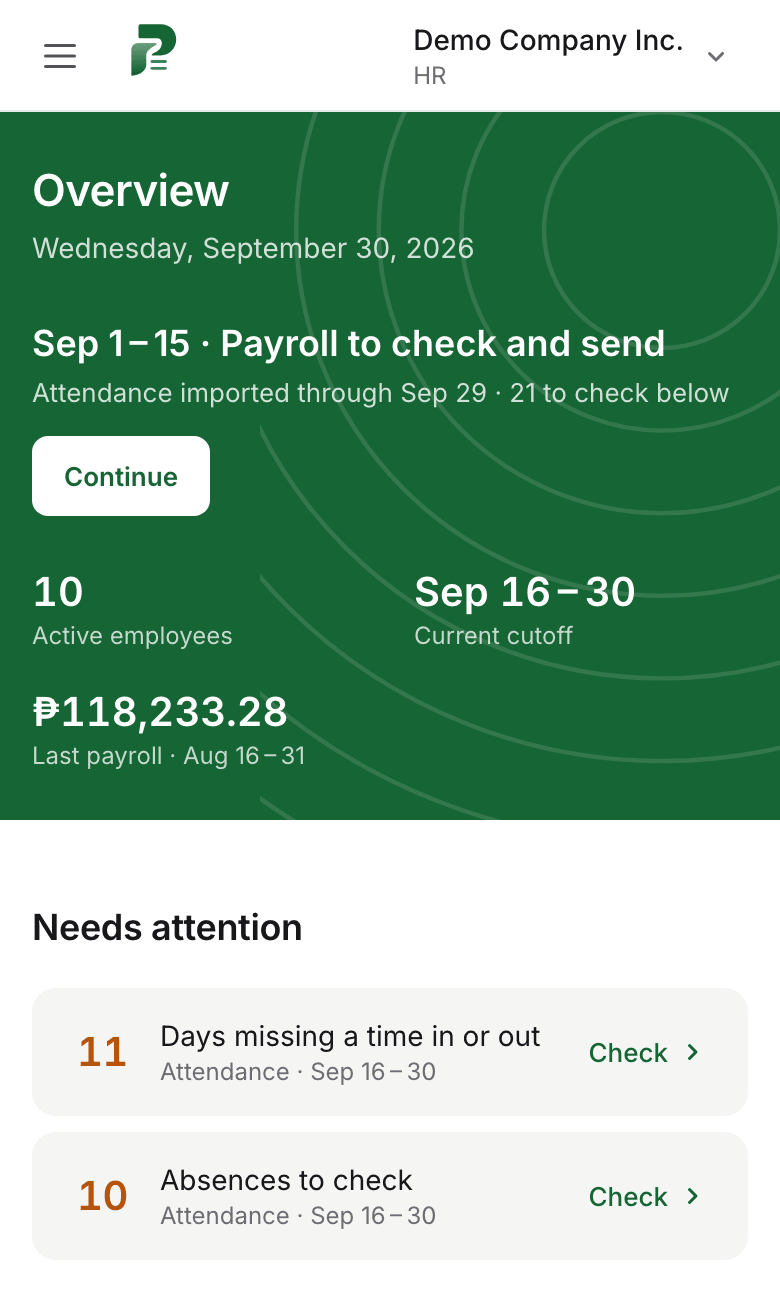
Upload the file from your biometric device. SweldoFlow finds the missing time-ins, lates and absences, then computes payroll and payslips.
How it works
Three steps every cutoff, from the biometric file to payslips.
Step 1
Upload the file from your biometric
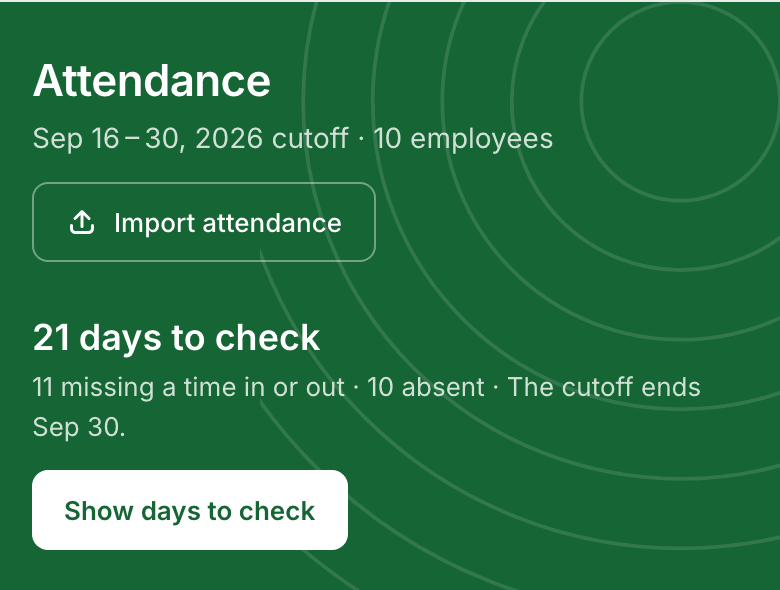
Export the report from your ZKTeco or NGTeco device and upload it as is. Each person is matched to an employee by name or device No. If someone is saved under a nickname, you match them once and SweldoFlow remembers. More than one branch? Upload each branch's file into the same payroll.
Step 2
Check only the days that need you
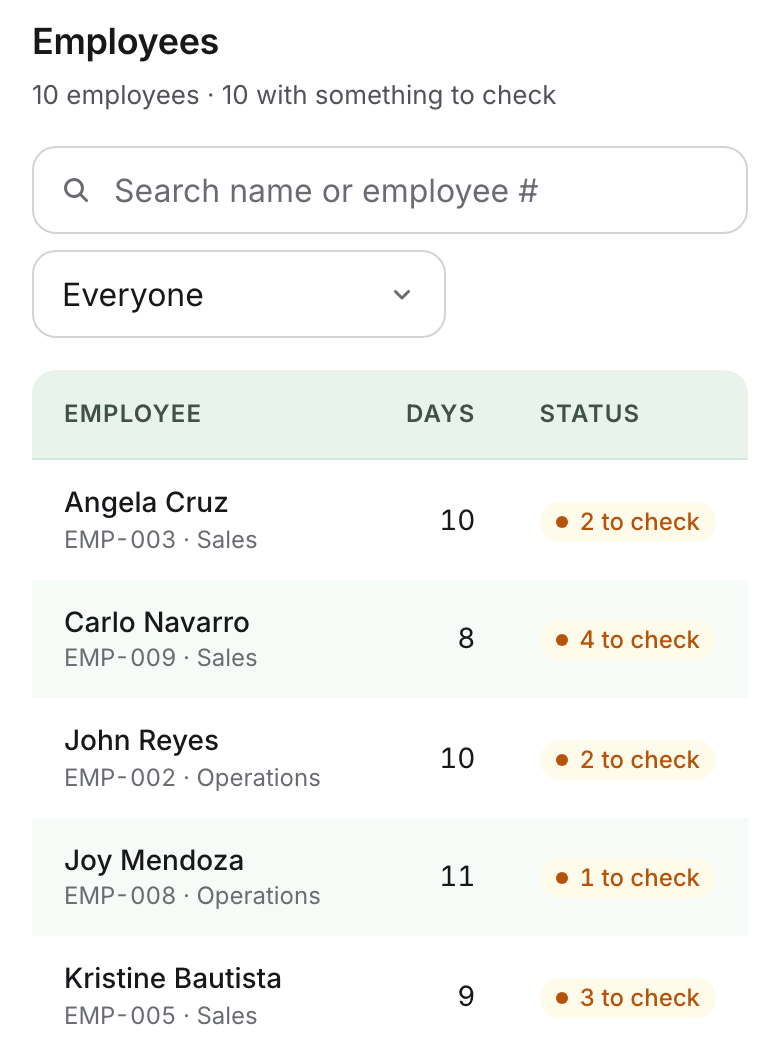
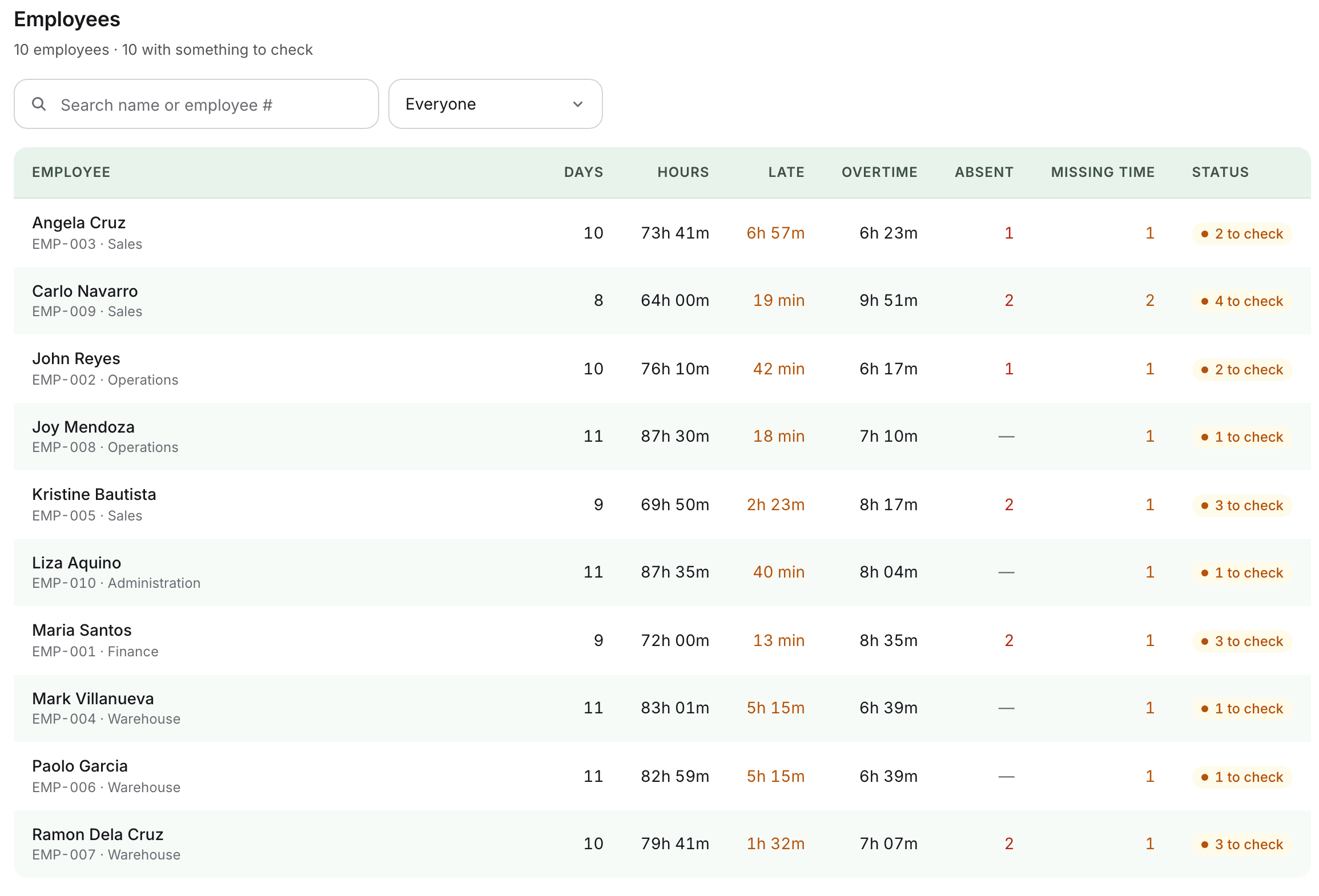
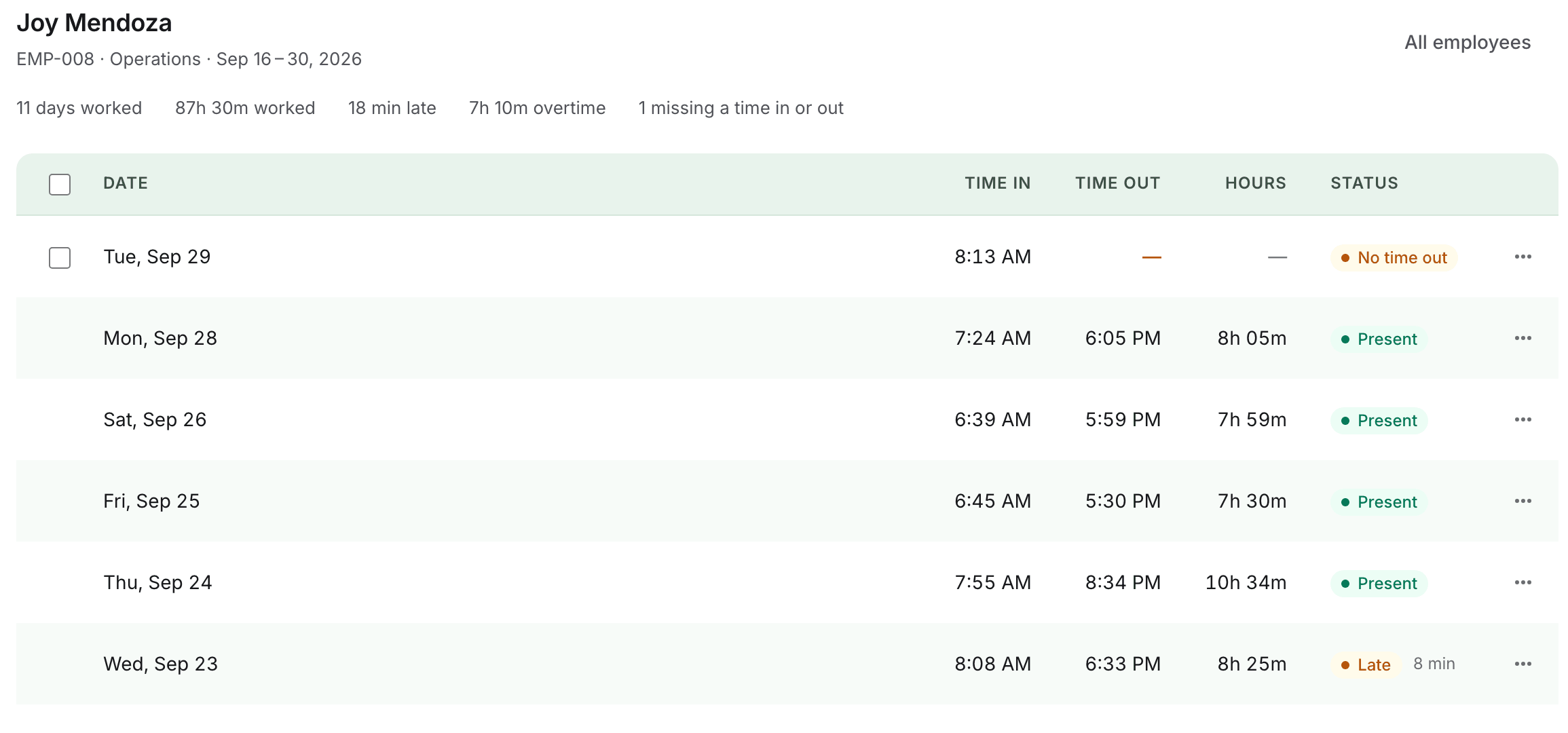
Missing time-ins and time-outs, absences and lates are listed per employee. Add the missing time or confirm the absence, with a reason. Every change is recorded, and HR can download the cutoff's DTR in Excel.
Step 3
Calculate payroll and hand out payslips
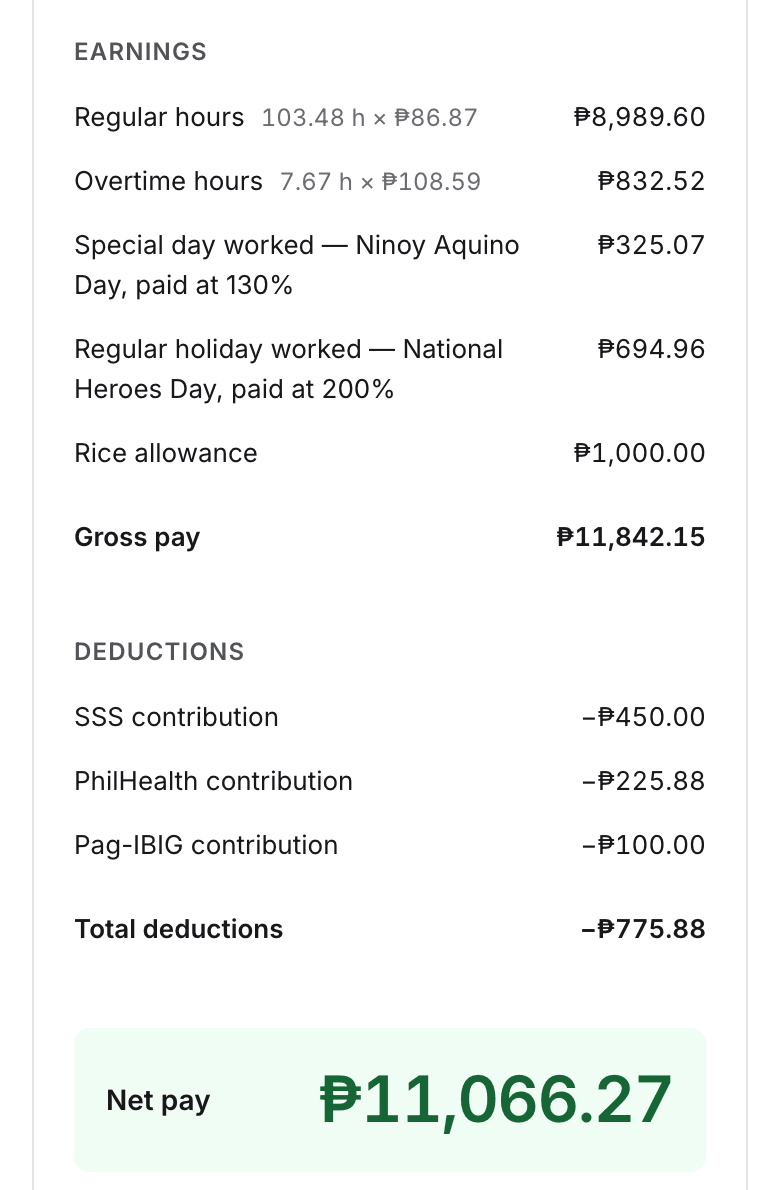
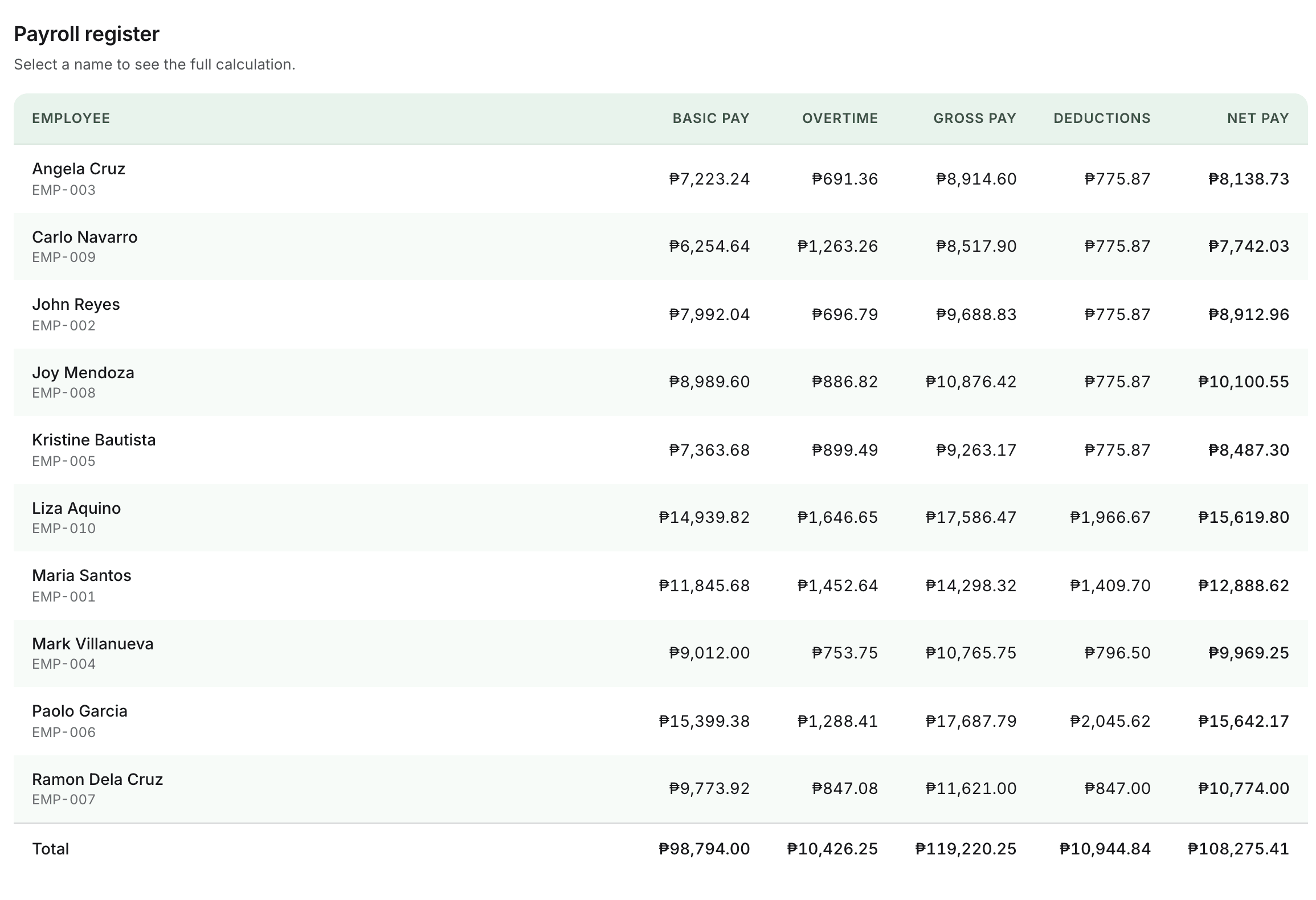
Overtime, night differential and holiday pay are computed at DOLE rates, with SSS, PhilHealth, Pag-IBIG and withholding tax, or none if you're not registered yet. Pay overtime at the regular rate? That's a setting too. Food, transportation and other allowances are added per day worked or per cutoff, and cash advances come off that cutoff's pay. The owner finalizes, each employee gets a payslip, and HR downloads the payroll register in Excel, with each branch's total and payslips.
Pricing
₱40 per employee a month, at least ₱1,500. Every feature included.
| Employees | Per month |
|---|---|
| 25 | ₱1,500 |
| 50 | ₱2,000 |
| 100 | ₱4,000 |
| 120 | ₱4,800 |
| 200 | ₱8,000 |
More than 200 employees? Message us.
First cutoff free
We set up your company and run one payroll cutoff alongside your current spreadsheet. If you don't continue, you pay nothing.
Setup: ₱5,000 up to 50 employees, ₱10,000 for 51 to 200
We load your employees, match your biometric records and set your shifts and pay rules. Free with a 12-month plan.
Pay monthly through GCash
Every feature is included. Month to month, stop anytime. On a 12-month plan, leaving early means paying the rest of the setup fee for the months left.
Questions
- Can we try it first?
- Yes. We set up your company and run your first payroll cutoff with you, free, alongside your current spreadsheet. Compare the results, then decide.
- Will it work with our biometric device?
- ZKTeco's Attendance Record Report, NGTeco's Timecard Report (from the NGTeco Time app) and the usual time logs from other devices upload as they are, in Excel (.xlsx or .xls) or CSV. Each branch can have its own device, and its own pay rules. Send us one export and we'll confirm it works before you start.
- Do our employees need ID numbers?
- No. Records are matched by name, and a nickname only needs to be matched once.
- Who sets it up?
- We do. Send us your employee list and one biometric export. We add your employees, match their biometric records, and set your shifts and pay rules. After that, HR adds new hires one at a time or imports a list from Excel.
- How is pay computed?
- From each employee's rate and their time in and out: regular hours, lates, overtime, night differential and holiday pay at DOLE rates, then SSS, PhilHealth, Pag-IBIG and withholding tax from the official tables. Schedules that change every day? Upload the week's schedule in the Excel you already keep, and each day is counted from its own hours. Pay days are yours too: the 20th and 5th, the 25th and 10th, or the 15th and month end.
- What about staff who don't use the biometric?
- Managers, work-from-home staff and anyone on a flat monthly salary can be set to fixed pay: half the monthly rate each cutoff, with the usual government deductions, and no time records needed.
- What if someone forgets to time in or out?
- SweldoFlow lists those days for you. HR adds the missing time with a reason, or the employee sends a correction for HR to approve. The original record is kept.
- Can employees see their own payslips?
- Yes. Each employee can sign in to see their attendance and download their payslip once payroll is finalized. HR can also download every payslip in a cutoff at once, for printing.
- Can we use it from home or on a phone?
- Yes. SweldoFlow runs in the browser, with nothing to install, so HR can import attendance, check days and run payroll from anywhere. Employees who work from home can have their times uploaded from a daily time file.
- We're not registered with SSS, PhilHealth or Pag-IBIG yet.
- You can turn government deductions off, and turn them on once you're registered. Some employees pay their own contributions? Turn them off for just those people.
- Who can see salaries?
- Only your Admin and HR. Employees see their own payslips, and only after payroll is finalized. Each company's records are kept separate from every other company's.
- What if we stop?
- Month to month, you can stop anytime. We give you a copy of your records, then delete your company's data 30 days later unless you ask us to keep it longer.
Privacy Policy
Updated October 1, 2026
- Who we are
- SweldoFlow provides payroll and attendance software to businesses in the Philippines. For your employees' data, your company is the personal information controller and SweldoFlow processes it on your behalf, under the Data Privacy Act of 2012 (RA 10173).
- What we collect
- Company details; user accounts (name, email, role); the employee records you add (name, employee number, hire date, position, shift, pay rate); attendance times from your biometric files; and payroll results and payslips.
- How we use it
- Only to provide the service to your company: reading attendance, computing payroll, producing payslips, supporting you and keeping the service secure. We don't sell data or use it for advertising.
- How we protect it
- Data is stored with established cloud providers in Singapore and sent over encrypted connections. Each company's data is separated at the database level, access is limited by role, and changes are recorded.
- How long we keep it
- For as long as your company uses SweldoFlow, and afterwards only as long as you ask us to or the law requires. DOLE and BIR may require payroll records to be kept for a set period.
- Your rights
- Employees may ask their employer to access or correct their data, and we help the employer do this. For privacy questions, message us on Facebook (SweldoFlow | Payroll & Attendance).
Terms of Service
Updated October 1, 2026
- The service
- SweldoFlow helps your company record attendance and compute payroll from the data you provide.
- Your responsibilities
- Keep sign-ins private, enter accurate employee and pay information, and review payroll before finalizing it. Your company remains responsible for paying employees and for its government filings and remittances.
- Accuracy
- SweldoFlow computes pay from the rules and rates set for your company and the official contribution tables it includes. Review the results; we fix errors in the software when we find them.
- Payment
- After the free first cutoff, the price is ₱40 per active employee per month, at least ₱1,500, billed monthly through GCash. Setup is ₱5,000 up to 50 employees and ₱10,000 for 51 to 200, paid once, or free with a 12-month plan. If a payment is more than 7 days late, new imports and new payroll pause until it's paid. Your records stay viewable and payslips downloadable.
- Cancellation
- Month to month, you can stop anytime before your next billing date; the current month isn't refunded. On a 12-month plan, stopping early means paying the waived setup fee for the months left (for example, ₱10,000 × 8 ÷ 12 after 4 months). We give you a copy of your records and delete your company's data 30 days later, unless you ask us to keep it longer.
- Custom work
- Work only your company needs, such as a special report or rule, is quoted in writing before we start. Improvements every client benefits from are free.
- Liability
- The service is provided as is. As far as the law allows, our liability is limited to the fees you paid in the three months before a claim.